
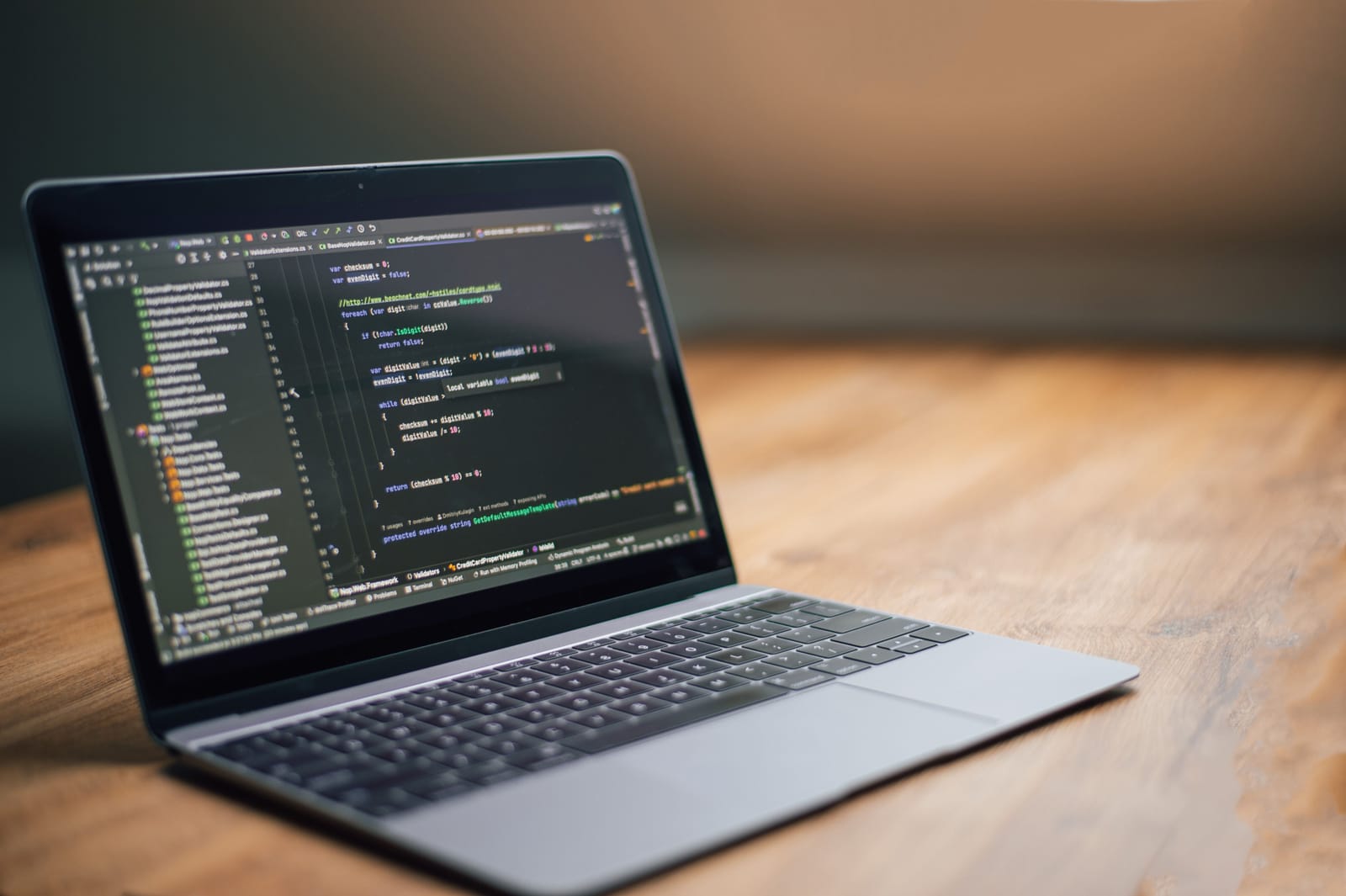
Best Coding Apps help beginners learn programming on phone with Python, JavaScript, HTML, SQL, coding practice, quizzes, projects, and lessons.
Learning programming no longer requires a desktop computer from day one. Today, students, freelancers, job seekers, beginners, and young learners can start coding directly from a smartphone.
Introduction
Learning programming no longer requires a desktop computer from day one. Today, students, freelancers, job seekers, beginners, and young learners can start coding directly from a smartphone.
The Best Coding Apps help beginners learn programming on phone through short lessons, coding exercises, quizzes, projects, flashcards, AI explanations, practice editors, and daily learning streaks.
A phone is not a full replacement for a laptop when you start building serious software projects. But it is a powerful way to begin. You can learn Python basics while travelling, practise JavaScript during breaks, review HTML and CSS before sleep, complete SQL exercises on the go, or build a daily habit of coding practice.
For beginners, the biggest challenge is not only learning syntax. It is staying consistent. Coding apps solve this by turning programming into small daily lessons.
This guide compares ten of the Best Coding Apps to learn programming on your phone in 2026.
For more education, AI, productivity, and app recommendation guides, explore Apps Hunt, where we publish practical app reviews and digital solution guides for students, freelancers, small businesses, and everyday users.
App features, pricing, free limits, course availability, supported languages, certificates, offline access, AI tools, and mobile coding features may change. Always check the official website or app-store listing before subscribing.
How We Selected the Best Coding Apps
Coding apps are not all designed for the same learner. Some teach Python. Some focus on JavaScript, HTML, CSS, SQL, Java, Swift, data science, web development, or computer science basics.
For this comparison, we considered:
- Beginner-friendly learning
- Programming languages supported
- Mobile coding practice
- Interactive exercises
- Short lessons
- Quizzes and flashcards
- AI explanations or coding help
- Projects and real-world practice
- Free-plan usefulness
- Paid-plan value
- Android and iPhone availability
- Offline access where available
- Progress tracking
- Streaks and reminders
- Community support
- Suitability for students, job seekers, freelancers, and self-learners
The rankings are editorial recommendations. The best coding app depends on your current level, target language, career goal, device, budget, and whether you want casual learning or serious programming practice.
You can also explore more learning tools in the Education & Learning Apps section on Apps Hunt.
Why Learn Programming on Your Phone?
A phone is not ideal for writing large codebases, but it is excellent for starting and building consistency.
You can use coding apps to:
- Learn programming basics
- Understand syntax
- Practise short coding exercises
- Review concepts daily
- Learn Python, JavaScript, HTML, CSS, SQL, Java, Swift, and more
- Build problem-solving habits
- Prepare for future laptop-based learning
- Watch coding lessons
- Practise quizzes
- Read explanations
- Track progress
- Learn during small free moments
For many beginners, the phone removes the first barrier. You do not need to install a heavy IDE, configure tools, or understand complex development environments before learning basic logic.
You can start with simple lessons and then move to laptop-based projects when you are ready.
Important Note Before Choosing a Coding App
Coding apps are helpful, but they should not be your only learning method forever.
To become a strong programmer, you eventually need to:
- Build real projects
- Write code on a computer
- Use Git and GitHub
- Learn debugging
- Read documentation
- Understand errors
- Practise problem solving
- Build portfolio projects
- Learn how real development tools work
- Work with files, terminals, databases, APIs, and frameworks
Use mobile coding apps as a starting point, daily practice tool, and revision system.
Do not stop there.
1. Mimo — Best Coding App for Beginners
Mimo is one of the best coding apps for beginners who want to learn programming on phone.
It offers beginner-friendly learning paths for web development, Python, JavaScript, HTML, CSS, SQL, React, Node.js, and other practical skills. Lessons are short and easy to follow, making Mimo useful for learners who want to practise coding in small daily sessions.
Mimo is especially helpful for people who want to start web development or Python without feeling overwhelmed.
The app combines bite-sized lessons, exercises, code practice, progress tracking, and beginner-friendly explanations.
Key Features
- Beginner-friendly coding lessons
- Python learning path
- JavaScript lessons
- HTML and CSS practice
- SQL lessons
- Web development paths
- Short daily exercises
- Interactive coding practice
- AI explanations and guidance
- Progress tracking
- Mobile app access
- Free and paid options
Best For
Mimo is best for beginners who want a simple mobile app to learn web development, Python, JavaScript, HTML, CSS, and SQL.
Possible Limitation
Mimo is great for starting, but serious learners should later build full projects on a computer.
2. Sololearn — Best Coding App With Community Learning
Sololearn is a popular coding app for beginners and self-learners who want lessons, quizzes, code practice, and community support.
It covers multiple programming languages and topics, including Python, JavaScript, Java, C++, C#, HTML, CSS, SQL, and other development skills.
Sololearn is useful because it combines learning with practice. Users can complete lessons, answer quizzes, run code, and interact with a learner community.
For beginners who feel alone while learning coding, Sololearn’s community-style approach can make learning more engaging.
Key Features
- Coding courses
- Programming quizzes
- Code practice
- Code playground
- Community support
- Multiple programming languages
- Python, JavaScript, Java, C++, HTML, CSS, SQL and more
- Mobile learning
- Progress tracking
- Certificates on supported plans
- Free and paid options
- Beginner-friendly interface
Best For
Sololearn is best for beginners who want to learn programming with lessons, quizzes, mobile practice, and community support.
Possible Limitation
Some learners may need more structured career paths or deeper projects after finishing beginner lessons.
3. Programming Hub — Best App for Learning Many Programming Languages
Programming Hub is a coding learning app that offers many programming courses and simplified lessons.
It is useful for beginners who want to explore different programming languages before choosing one serious path. The platform lists 100+ programming courses and specializations, which makes it suitable for learners who want variety.
Programming Hub can help users learn basics of Python, JavaScript, Java, C, C++, HTML, CSS, SQL, artificial intelligence, data science, app development, and other technical topics.
Key Features
- 100+ programming courses
- Multiple programming languages
- Beginner-friendly lessons
- Coding examples
- Course catalog
- Progress tracking
- Interactive learning
- Certificates on supported plans
- Mobile app access
- Web access
- Free and paid options
- Broad topic coverage
Best For
Programming Hub is best for learners who want to explore many programming languages and technical topics in one app.
Possible Limitation
Because it covers many topics, learners should avoid jumping between too many languages. Choose one main language and stay consistent.
4. Enki — Best AI Coding App for Daily Tech Learning
Enki is an AI-powered learning app focused on coding, data, AI, no-code, productivity tools, and technical skills.
It works like a technical mentor in your pocket. Enki can explain concepts, provide hints, summarize lessons, review code, recommend resources, and help learners practise through structured learning content.
The app includes lessons across coding basics, computer science, Python, JavaScript, Kotlin, Swift, TypeScript, Java, C++, SQL, machine learning, frontend skills, data science, interview practice, and more.
Enki is useful for learners who want both coding lessons and AI-powered guidance.
Key Features
- AI-powered learning mentor
- Coding lessons
- Data and AI topics
- Technical skill courses
- Code review support
- Simple explanations
- Hints when stuck
- Revision workouts
- Daily reminders
- Learning streaks
- Community and team learning features
- Mobile app access
Best For
Enki is best for learners who want AI-supported coding practice, concept explanations, and daily technical learning.
Possible Limitation
AI explanations are helpful, but beginners should still practise writing and debugging code themselves.
For more AI learning and productivity tools, explore AI App Space.
5. Codecademy Go — Best for Reviewing Coding Concepts on Phone
Codecademy Go is a mobile companion app for learners using Codecademy.
It helps users review coding concepts, practise syntax, use flashcards, read real-world tips, track progress, and maintain learning streaks from a mobile device.
Codecademy Go is not designed to replace the full Codecademy desktop experience. It is better for revision, practice, and staying consistent when you are away from your computer.
This makes it useful for students and professionals who want to keep learning during short breaks.
Key Features
- Mobile coding review
- Practice exercises
- Daily flashcards
- Syntax practice
- Course recommendations
- Progress tracking
- Learning streaks
- Real-world tips
- Mobile access
- Works with Codecademy learning paths
- Useful for revision
- Paid-plan connection for full access
Best For
Codecademy Go is best for learners already using Codecademy who want to review and practise coding concepts on phone.
Possible Limitation
Codecademy Go is mainly a companion app. For full project-based learning, use Codecademy on web or build projects separately.
6. DataCamp Mobile — Best Coding App for Data Science and AI Skills
DataCamp Mobile is a strong option for learners interested in data science, Python, SQL, R, statistics, analytics, machine learning, and AI skills.
The app helps users practise code, watch videos, review concepts, and keep a learning streak alive from a phone.
DataCamp is especially useful for learners who want to enter data analytics, data science, business intelligence, machine learning, or AI-related roles.
For beginners, DataCamp Mobile can make data skills easier to learn through structured lessons and interactive practice.
Key Features
- Python courses
- SQL learning
- R learning
- Data science lessons
- AI learning content
- Mobile coding practice
- Video lessons
- Streak tracking
- Interactive exercises
- Career tracks
- Skill tracks
- Free and paid options
Best For
DataCamp Mobile is best for learners who want to learn Python, SQL, data science, analytics, and AI skills on phone.
Possible Limitation
DataCamp is best for data-focused learning. If your goal is web development, Mimo, Sololearn, freeCodeCamp, or Programming Hub may be more suitable.
7. freeCodeCamp — Best Free Coding App for Challenges and Tutorials
freeCodeCamp is one of the most respected free coding learning platforms.
Its mobile app includes challenges, tutorials, Code Radio, and podcast content to help learners build coding knowledge. freeCodeCamp is especially useful for learners who want free coding education and project-based learning.
It is widely known for web development, JavaScript, responsive design, frontend libraries, backend development, data visualization, APIs, Python, databases, and interview preparation.
The mobile app can help learners stay connected with lessons and practice, while the full web platform is better for larger projects and certifications.
Key Features
- Free coding challenges
- Tutorials
- Code Radio
- Podcasts
- Web development learning
- JavaScript practice
- Python and database topics
- Project-based learning on web
- Developer community
- Mobile app access
- Open-source ecosystem
- Free learning model
Best For
freeCodeCamp is best for learners who want free coding education, tutorials, challenges, and long-term developer learning.
Possible Limitation
The full freeCodeCamp experience is stronger on web, especially for longer projects and certifications.
8. Swift Playgrounds — Best for Learning Swift and Apple App Development
Swift Playgrounds is Apple’s coding app for learning Swift and building apps on iPad and Mac.
It helps learners understand programming concepts through interactive lessons and puzzles. Users can also experiment with Swift, SwiftUI, and Apple platform APIs.
Swift Playgrounds is especially useful for learners who want to build iPhone, iPad, Mac, Apple Watch, or Apple TV apps in the future.
For Apple users, it is one of the most practical ways to start learning real Swift programming in an interactive environment.
Key Features
- Learn Swift programming
- Interactive lessons
- Code puzzles
- SwiftUI app building
- Live code results
- iPad and Mac support
- Apple-created lessons
- App projects
- Inline code suggestions
- Swift packages
- App Store Connect support for completed apps
- Free Apple app
Best For
Swift Playgrounds is best for iPad and Mac users who want to learn Swift and start building Apple platform apps.
Possible Limitation
Swift Playgrounds is mainly for Apple users. Android users should choose Mimo, Sololearn, Programming Hub, Enki, DataCamp, or freeCodeCamp.
9. CodeGym — Best Coding App for Learning Java
CodeGym is a Java-focused learning app designed for beginners who want to learn Java programming from scratch.
It uses a quest-style learning approach and helps users practise Java concepts through exercises and lessons on smartphone.
CodeGym is useful for learners who specifically want to focus on Java instead of switching between many programming languages.
Java is used in Android development, backend systems, enterprise software, and many computer science courses, so learning Java can be useful for long-term programming foundations.
Key Features
- Java programming lessons
- Learn Java from scratch
- Practice exercises
- Quest-style learning
- Mobile app access
- Beginner-friendly structure
- Coding tasks
- Java concepts
- Progress tracking
- Free and paid options
- Focused language path
- Useful for Java learners
Best For
CodeGym is best for beginners who specifically want to learn Java programming on phone.
Possible Limitation
CodeGym is focused on Java. If you want web development, Python, SQL, or AI skills, choose another app alongside it.
10. Khan Academy — Best Free App for Computer Programming Basics
Khan Academy is a free learning platform that includes computer programming and computer science learning content.
It offers instructional videos, practice exercises, and beginner-friendly lessons across many subjects. For coding, learners can explore programming concepts, JavaScript, HTML, CSS, drawing, animation, and web basics.
Khan Academy is especially useful for younger learners, students, and beginners who want a free and simple introduction to programming concepts.
Key Features
- Free learning platform
- Computer programming lessons
- JavaScript basics
- HTML and CSS learning
- Videos and practice exercises
- Beginner-friendly explanations
- Personalized learning dashboard
- Mobile app access
- Web access
- Strong education brand
- Multiple school subjects
- Self-paced learning
Best For
Khan Academy is best for students and beginners who want free programming basics with simple explanations.
Possible Limitation
Khan Academy is not a full professional coding bootcamp. Serious learners should later move to project-based platforms and real coding environments.
How to Choose the Best Coding App
The best coding app depends on your learning goal.
Choose Mimo for Beginner Web Development
Mimo is best if you want short lessons for Python, JavaScript, HTML, CSS, SQL, and web development basics.
Choose Sololearn for Community Learning
Sololearn is useful if you want courses, quizzes, code practice, and a coding learner community.
Choose Programming Hub for Many Languages
Programming Hub is helpful if you want to explore many programming languages before choosing one.
Choose Enki for AI Coding Guidance
Enki is best if you want AI explanations, tech learning, revision workouts, and coding support.
Choose Codecademy Go for Review
Codecademy Go is useful if you already use Codecademy and want to revise concepts on phone.
Choose DataCamp for Python, SQL and AI
DataCamp is best if your goal is data science, analytics, Python, SQL, R, machine learning, or AI skills.
Choose freeCodeCamp for Free Long-Term Learning
freeCodeCamp is best if you want a free learning path with challenges, tutorials, and developer community support.
Choose Swift Playgrounds for Apple Development
Swift Playgrounds is best if you want to learn Swift and build Apple apps.
Choose CodeGym for Java
CodeGym is best if you want to focus deeply on Java programming.
Choose Khan Academy for Free Basics
Khan Academy is useful if you want simple programming concepts and free beginner learning.
Features to Look for in Coding Apps
Before choosing a coding app, check whether it matches your real goal.
Programming Languages
Look for the language you actually want to learn.
Good beginner choices include:
- Python
- JavaScript
- HTML
- CSS
- SQL
- Java
- Swift
- C++
- Kotlin
If you are not sure, start with Python or JavaScript.
Interactive Coding Practice
Reading is not enough. Coding apps should let you practise.
Look for:
- Code editor
- Quizzes
- Challenges
- Short exercises
- Error feedback
- Hints
- Projects
- Practice streaks
Beginner Learning Path
A good beginner path should cover:
- Variables
- Data types
- Operators
- Conditions
- Loops
- Functions
- Lists or arrays
- Objects
- Errors
- Basic projects
- Real-world examples
Projects and Practice
Projects help you move from theory to real skill.
Simple beginner projects include:
- Calculator
- To-do list
- Quiz app
- Weather app
- Portfolio page
- Budget tracker
- Notes app
- Simple game
- API-based mini project
AI Help
Some modern coding apps include AI help.
AI can explain errors, summarize lessons, give hints, and suggest next steps.
Use AI carefully. Do not copy answers without understanding them.
For more AI tools and digital learning ideas, explore the AI Tools section on Apps Hunt.
Progress Tracking
Progress tracking helps learners stay consistent.
Useful features include:
- Streaks
- Completed lessons
- Skill progress
- Daily reminders
- Course progress
- Badges
- Review sessions
- Practice history
Mobile-Friendly Lessons
Phone screens are small, so good coding apps should offer short lessons, simple navigation, readable examples, and quick practice.
Best Coding Apps by Use Case
Best for Beginners
- Mimo
- Sololearn
- Programming Hub
- Khan Academy
- freeCodeCamp
Best for Python
- Mimo
- DataCamp
- Sololearn
- Programming Hub
- Enki
Best for JavaScript
- Mimo
- Sololearn
- freeCodeCamp
- Programming Hub
- Khan Academy
Best for HTML and CSS
- Mimo
- freeCodeCamp
- Sololearn
- Khan Academy
- Programming Hub
Best for SQL
- DataCamp
- Mimo
- Sololearn
- Programming Hub
- Enki
Best for Java
- CodeGym
- Sololearn
- Programming Hub
- Enki
Best for iPhone and iPad Users
- Swift Playgrounds
- Mimo
- Sololearn
- Codecademy Go
- DataCamp
Best Free Coding Apps
- freeCodeCamp
- Khan Academy
- Sololearn free plan
- Mimo free plan
- DataCamp free access where available
Tips to Learn Programming on Your Phone
Start With One Language
Do not learn Python, JavaScript, Java, C++, Swift, and SQL all at once.
Choose one path.
For beginners:
- Choose Python for general programming and AI/data basics.
- Choose JavaScript for web development.
- Choose Swift for Apple app development.
- Choose Java or Kotlin for Android and backend foundations.
- Choose SQL for data and databases.
Practise Daily
Coding improves through practice.
Even 15 minutes daily is better than three hours once a week.
Type Code Yourself
Do not only read explanations. Type the code, make mistakes, and fix them.
Review Errors
Errors are part of learning.
When code fails, ask:
- What line has the error?
- What did I expect?
- What actually happened?
- What does the message mean?
- What can I test?
Move to a Laptop Later
Phone learning is excellent for starting, but serious projects usually need a laptop or desktop.
Once you understand basics, start building real projects on a computer.
Keep Your Phone Safe While Learning
Coding apps, learning apps, and parental control tools may request different app permissions.
If a child or younger learner is using a phone for education, parents can review safety tools such as FamilyGuard on Google Play to manage safer digital habits and app usage.
Follow More App Learning Ideas
For coding app recommendations, productivity tools, and app discovery content, follow Apps Hunt on Pinterest.
Common Mistakes Beginners Should Avoid
Learning Too Many Languages
One language learned properly is better than five languages learned halfway.
Only Watching Videos
Videos help, but coding skill comes from writing code.
Skipping Basics
Do not skip variables, loops, functions, arrays, objects, and conditions. These are the foundation.
Copying Code Without Understanding
Copying is fine for practice, but always understand what each line does.
Ignoring Projects
Projects make your learning practical.
Not Reviewing Old Lessons
Review is important. Coding concepts are easy to forget without repetition.
Depending Only on Mobile Apps
Mobile apps are a starting point. Real-world development needs projects, documentation, tools, and debugging practice.
Not Building a Portfolio
If your goal is a job or freelance work, build small projects and show them.
Simple Learning Roadmap for Beginners
A beginner-friendly phone-based coding roadmap can look like this:
- Choose one language.
- Install one coding app.
- Complete beginner lessons.
- Practise 15 minutes daily.
- Take notes of key concepts.
- Repeat exercises until you understand them.
- Build one tiny project.
- Move to a laptop for bigger projects.
- Learn Git and GitHub.
- Create a portfolio.
A phone can help you start, but consistent practice turns learning into skill.
For more productivity and learning app guides, explore the Productivity Apps section on Apps Hunt.
Which Coding App Should You Choose?
Choose Mimo if you want beginner-friendly mobile lessons for Python, JavaScript, HTML, CSS, SQL, and web development.
Choose Sololearn if you want coding courses, quizzes, practice, and community learning.
Choose Programming Hub if you want access to many programming languages and simplified lessons.
Choose Enki if you want AI-powered explanations and daily tech learning.
Choose Codecademy Go if you already use Codecademy and want mobile review.
Choose DataCamp Mobile if you want Python, SQL, R, data science, and AI skills.
Choose freeCodeCamp if you want free coding challenges and long-term learning.
Choose Swift Playgrounds if you want to learn Swift and build Apple apps.
Choose CodeGym if you want to focus on Java.
Choose Khan Academy if you want free programming basics and beginner-friendly explanations.
Final Thoughts
The Best Coding Apps make programming more accessible for beginners who want to learn on their phones.
Mimo is excellent for beginner-friendly coding lessons. Sololearn combines courses, quizzes, practice, and community support. Programming Hub offers a wide course catalog, while Enki adds AI-powered guidance and technical learning.
Codecademy Go is useful for reviewing concepts, DataCamp Mobile is strong for Python, SQL, data and AI skills, and freeCodeCamp is one of the best free learning platforms. Swift Playgrounds is ideal for Apple app development, CodeGym is useful for Java, and Khan Academy is helpful for free programming basics.
The best coding app depends on your goal.
If you want web development, start with Mimo, freeCodeCamp, or Sololearn. If you want data science, choose DataCamp. If you want Swift and Apple apps, use Swift Playgrounds. If you want Java, try CodeGym.
Start small. Practise daily. Build simple projects. Move from phone lessons to real coding projects when you are ready.
A phone can help you begin your programming journey, but your consistency will decide how far you go.
For more education, AI, productivity, and mobile app recommendations, visit Apps Hunt. You can also explore AI-powered digital tools and app ideas at AI App Space.
Explore more education and learning app guides on Apps Hunt
Frequently asked questions
Mimo, Sololearn, Programming Hub, Enki, Codecademy Go, DataCamp Mobile, freeCodeCamp, Swift Playgrounds, CodeGym, and Khan Academy are useful coding apps for learning programming on phone.
Mimo, Sololearn, Programming Hub, Khan Academy, and freeCodeCamp are beginner-friendly coding apps. Mimo is especially useful for short mobile lessons, while freeCodeCamp is strong for free long-term learning.
You can start learning programming on your phone, practise concepts, complete lessons, and build consistency. However, serious projects, debugging, Git, and real development work are easier on a laptop or desktop.
Mimo, DataCamp Mobile, Sololearn, Programming Hub, and Enki are useful apps for learning Python on phone. DataCamp is especially strong for Python in data science and analytics.
Mimo, Sololearn, freeCodeCamp, Programming Hub, and Khan Academy are useful options for learning JavaScript basics, web development, HTML, CSS, and coding concepts.
freeCodeCamp and Khan Academy are strong free coding learning options. Sololearn, Mimo, and DataCamp may also offer free access with limits depending on course and plan.
DataCamp Mobile is one of the best coding apps for data science because it focuses on Python, SQL, R, analytics, machine learning, AI skills, videos, and interactive practice.
Swift Playgrounds is best for iPad and Mac users who want to learn Swift and Apple app development. Mimo, Sololearn, DataCamp and Codecademy Go are also useful for iPhone users.
Beginners can start with 15 to 20 minutes daily. Consistent daily practice is more effective than long sessions once in a while.
Beginners should start with variables, data types, conditions, loops, functions, arrays or lists, errors, and small projects. Python and JavaScript are common beginner-friendly starting languages.